5.4. How to Use the Wiki
What is a Wiki?
This is a learning resource designed for course participants to create and edit web pages individually or collaboratively.
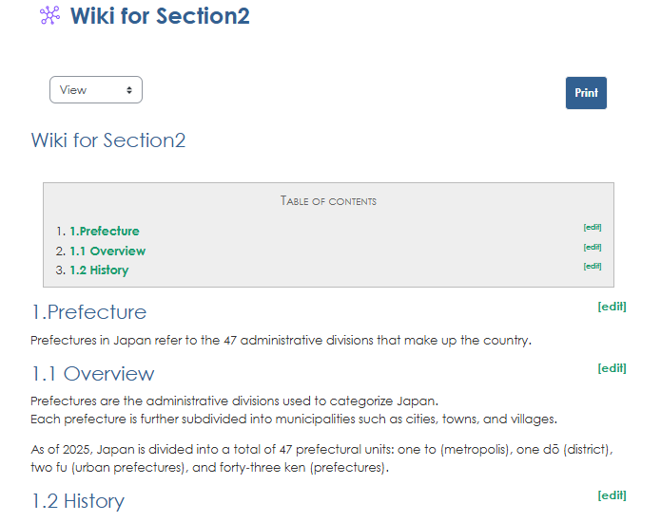
How to Use the Wiki
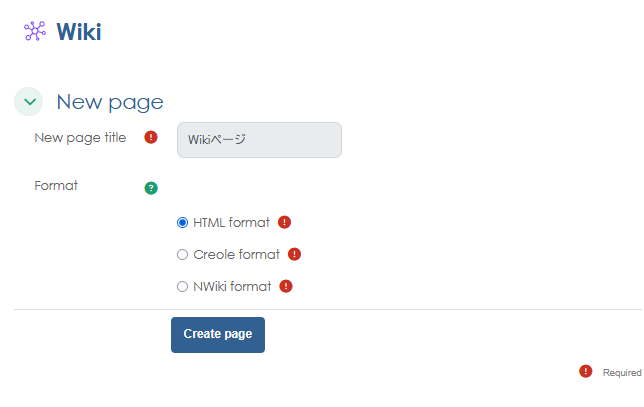
1. To create a new page, click "Create page" on the Wiki homepage.
Set the page title and select a format. (If no format is specified, we recommend HTML.)
2. Enter the content for the wiki.
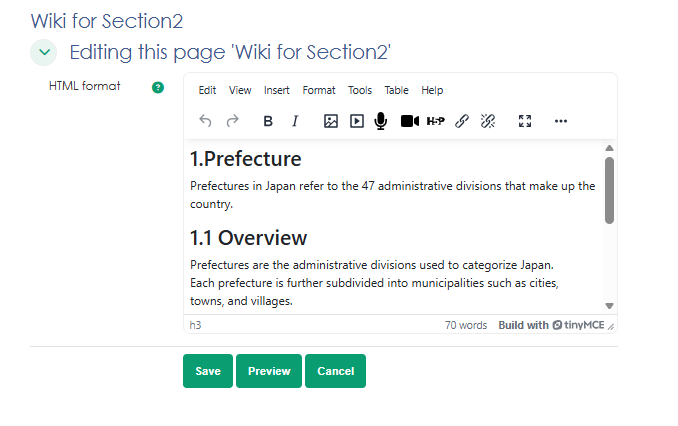
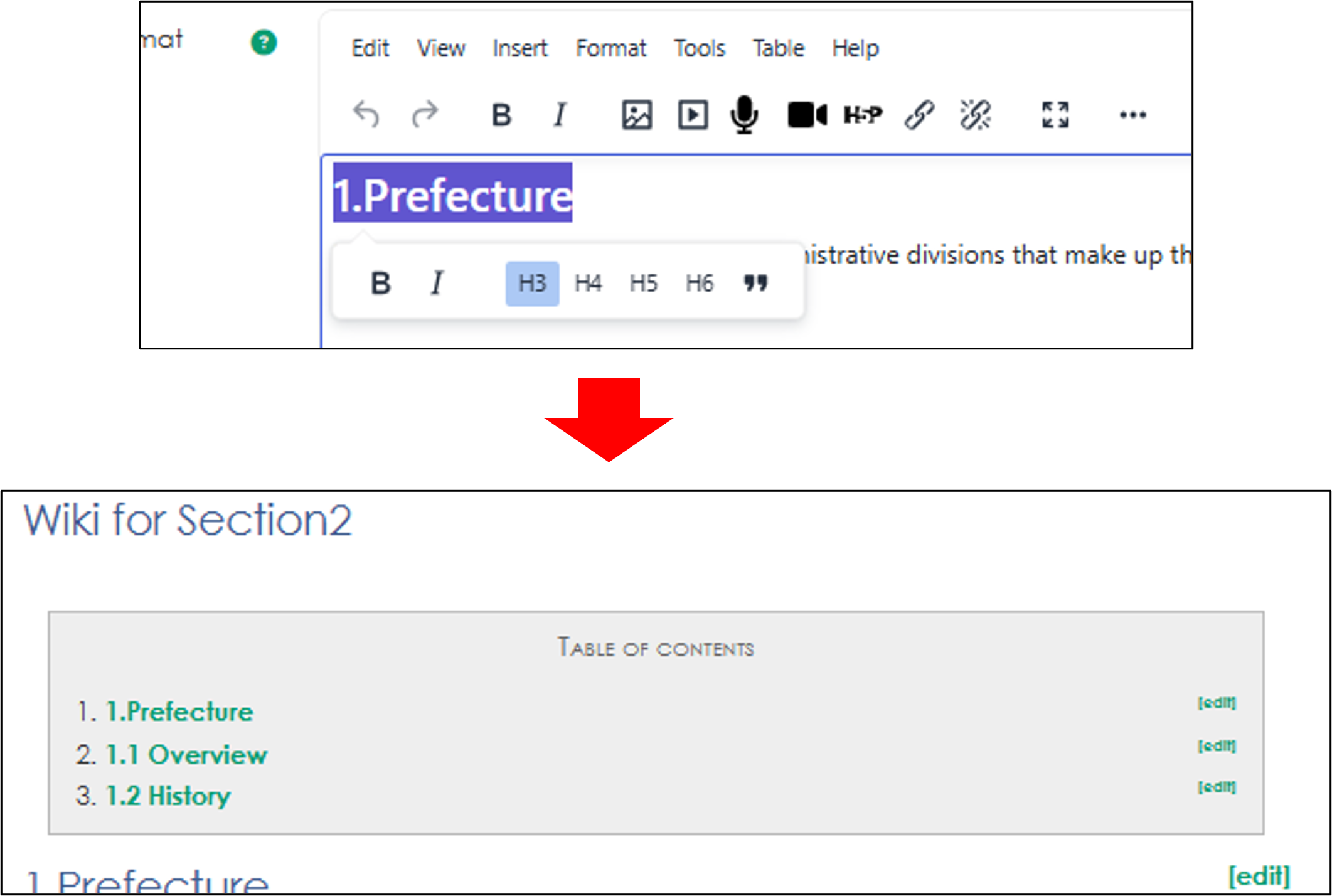
3. You can create a table of contents by using "Headings" Drag your cursor over the section you want to make into a heading, and you'll be able to select the heading type.
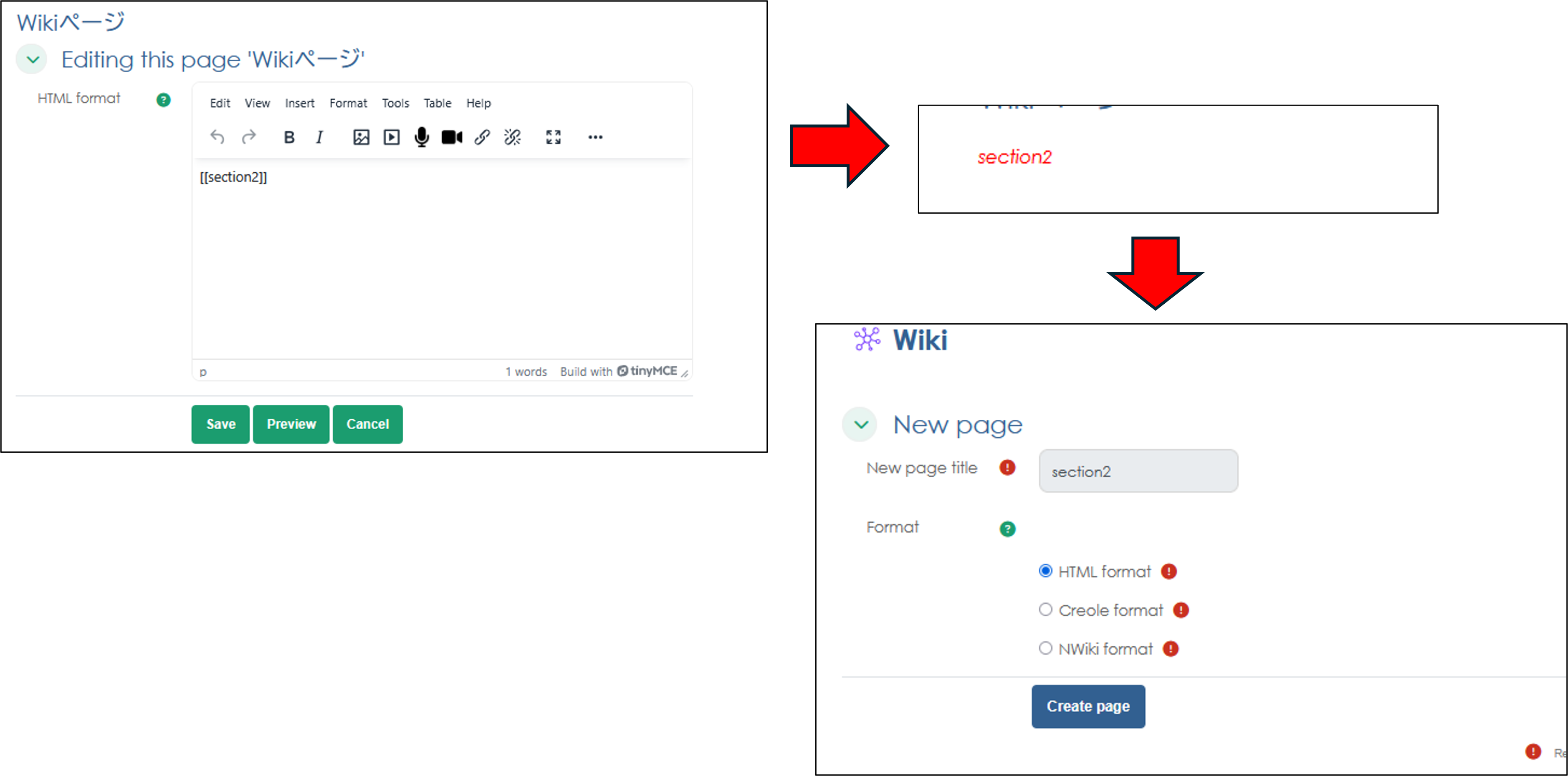
4. If you want to add a new page, enter [[New Page]] in the text field to create a page link at the bottom of the wiki.
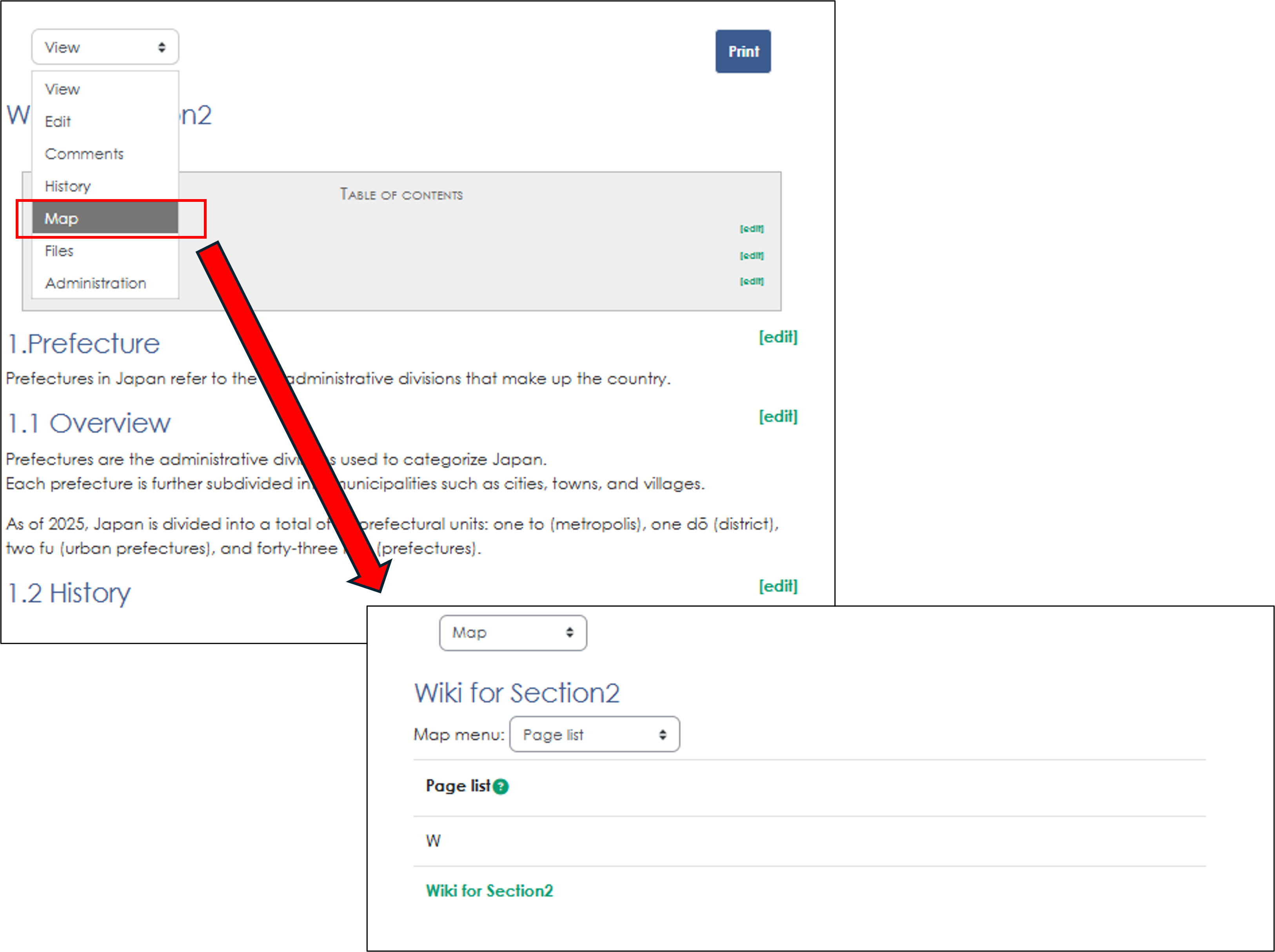
5. You can access the new page you created from the "Map" drop-down menu.
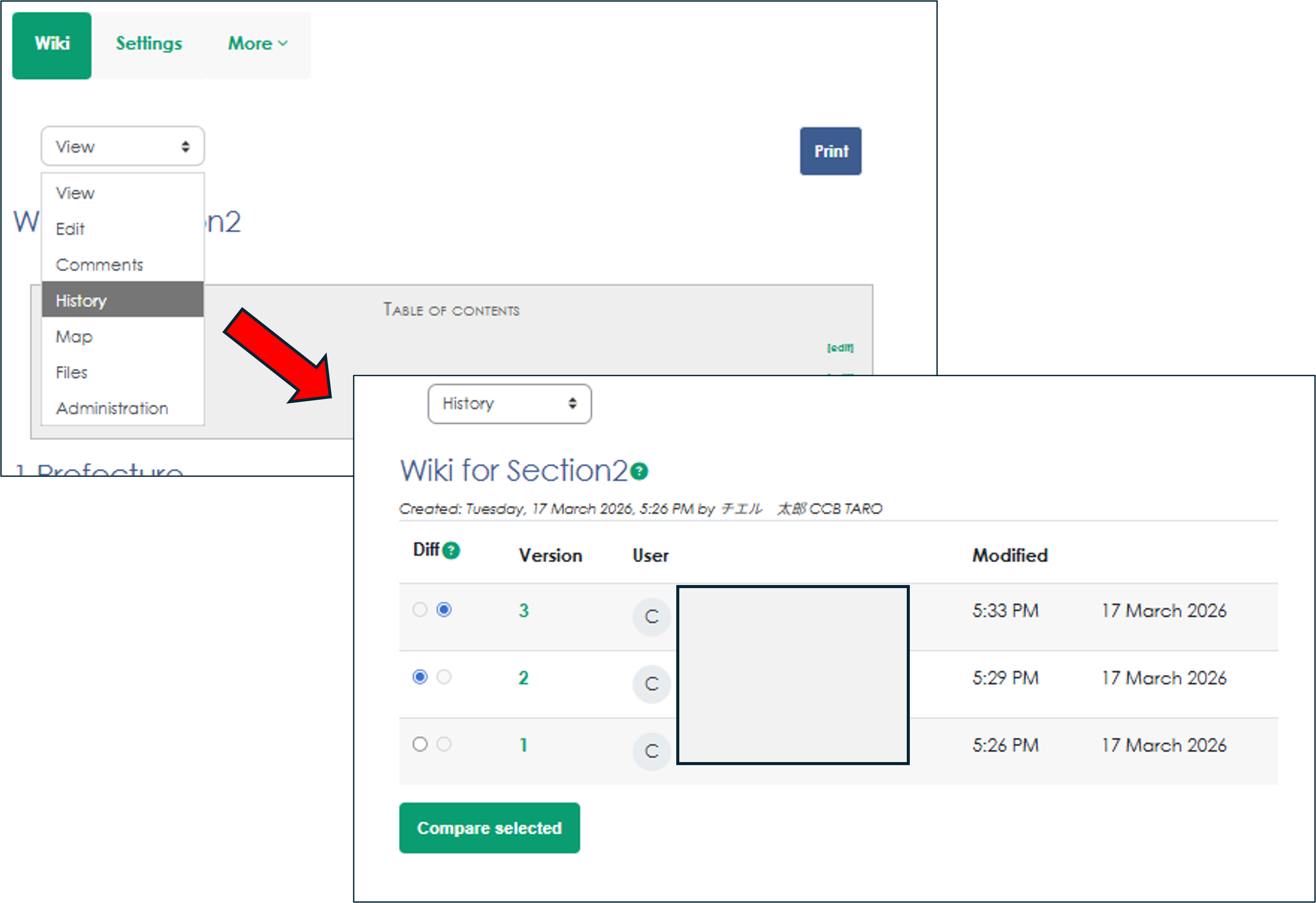
6. You can view the change history from the drop-down menu.