3. How to Enroll in and Withdraw from a Course
Self-registration refers to the process of enrolling in a course you have selected via the registration screen. This is used when registering for a course during the preliminary registration period. If you enrolled in the course on your own, you can opt out of the course at any time.
How to Self-Register for a Course
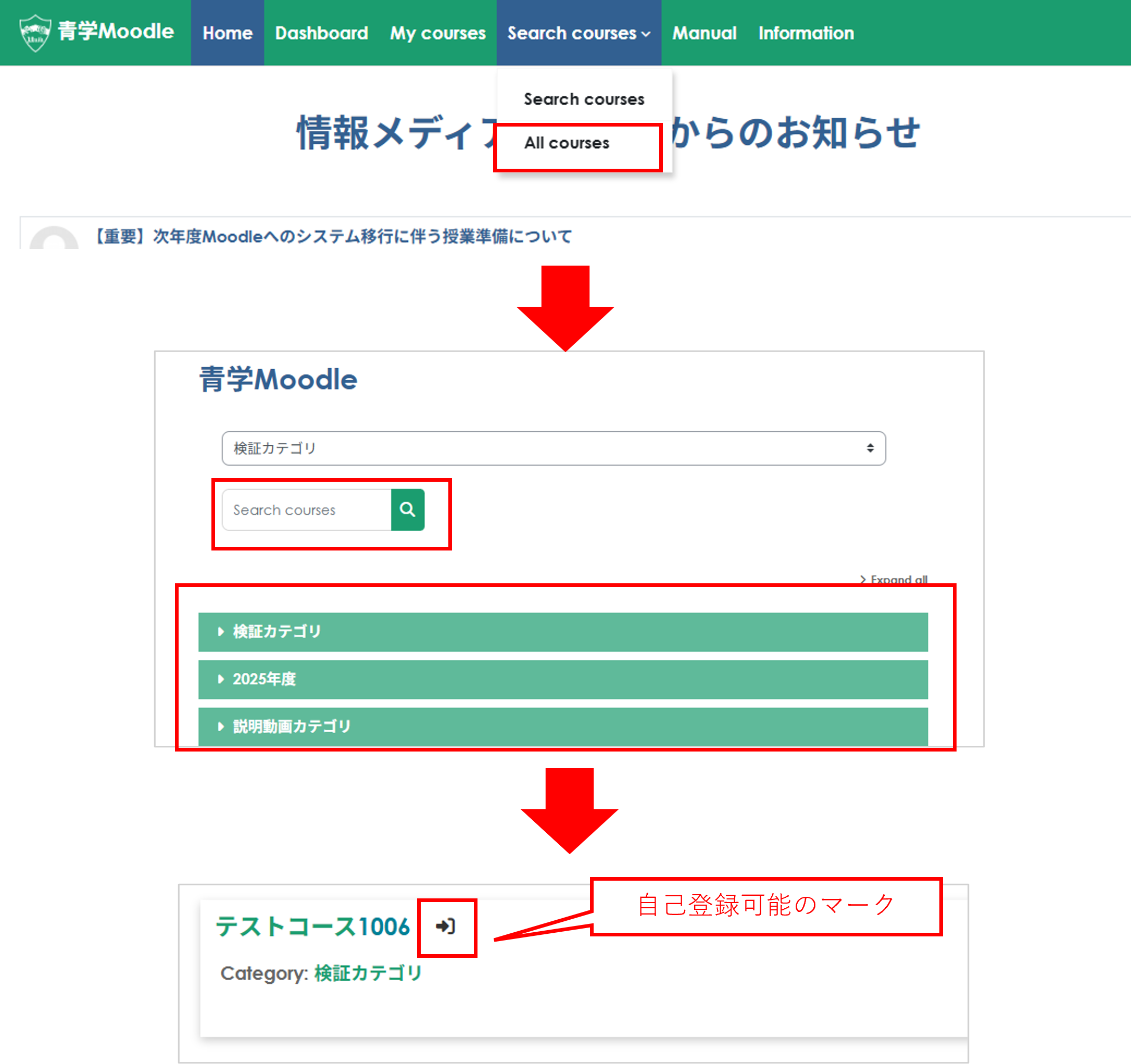
1. Click "All Courses" under "Search courses" at the top of the page. Select a course from the course categories or search for a course using the search box, then select the course you wish to enroll in. Courses available for self-enrollment are marked with an icon next to the course name.
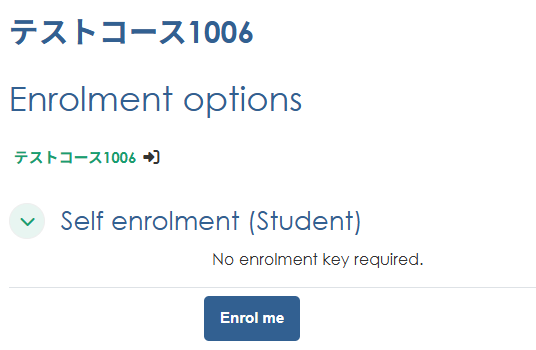
2. Click on a course that allows self-registration. The self-registration screen will appear; click "Register Me."
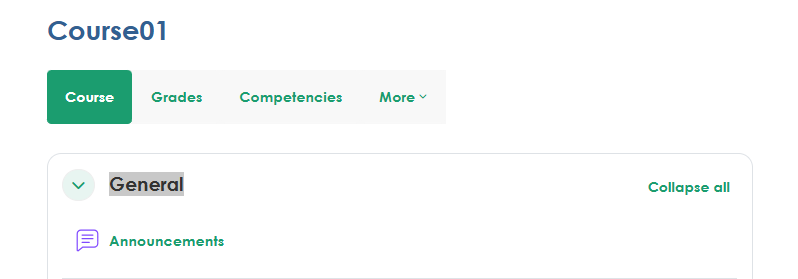
3. You will be able to access the course page. You can access your registered courses from "My courses"
How to Unsubscribe from the Course
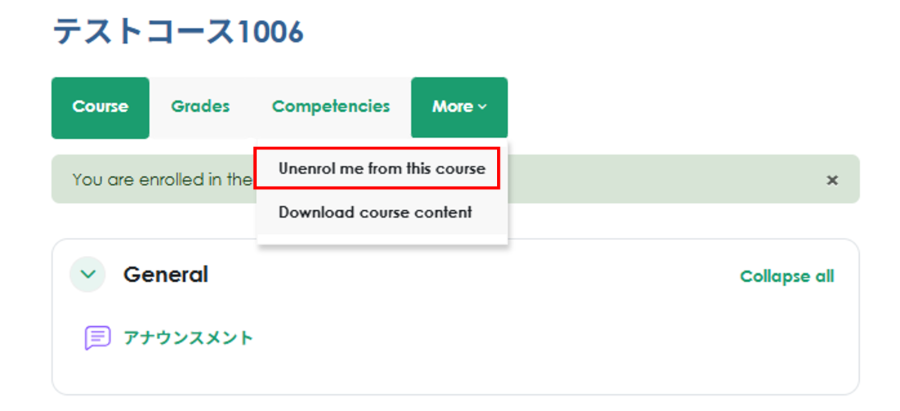
1. Go to the page for the course you enrolled in and click "More" A menu will open; click "Unenroll me from this course."
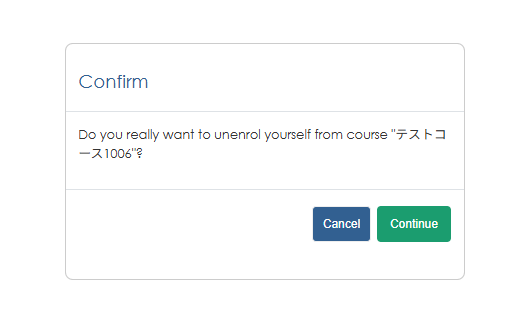
2. A confirmation screen will appear; click "Continue" to unsubscribe from the course.