4. Check your grades
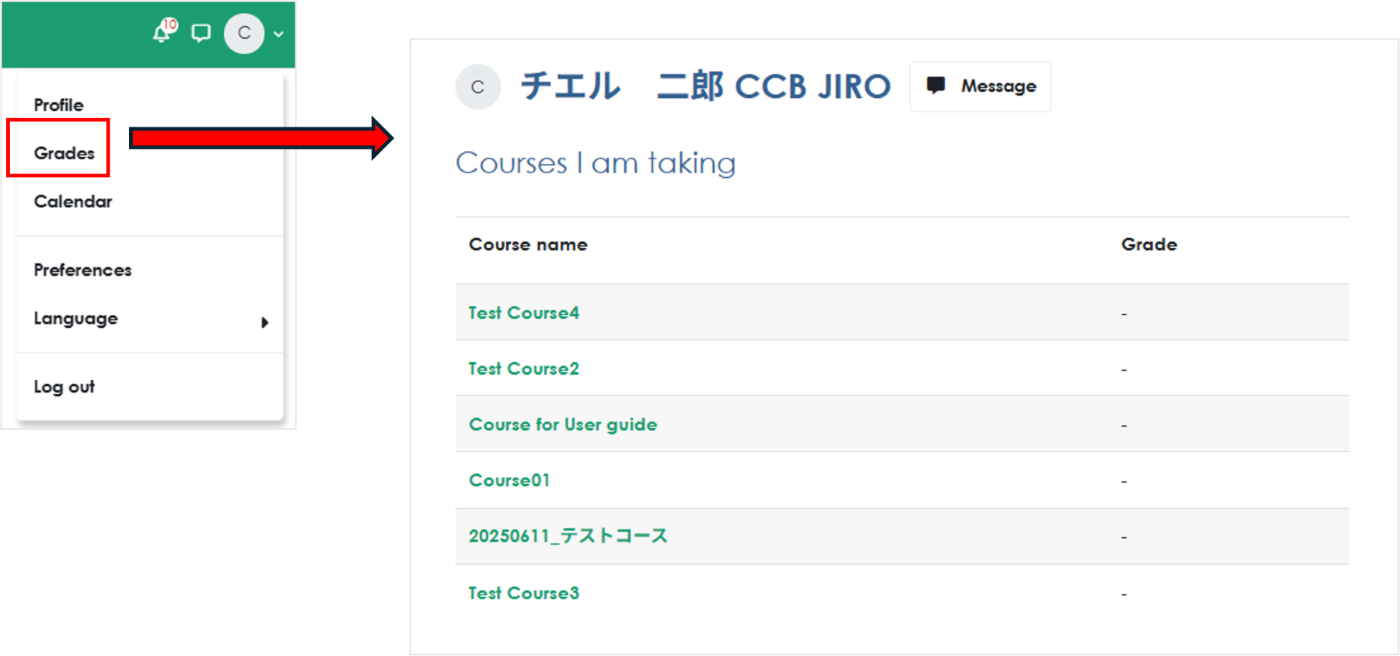
To check your grades, refer to the grade report. *Note: Depending on your teacher's settings, this may be hidden.
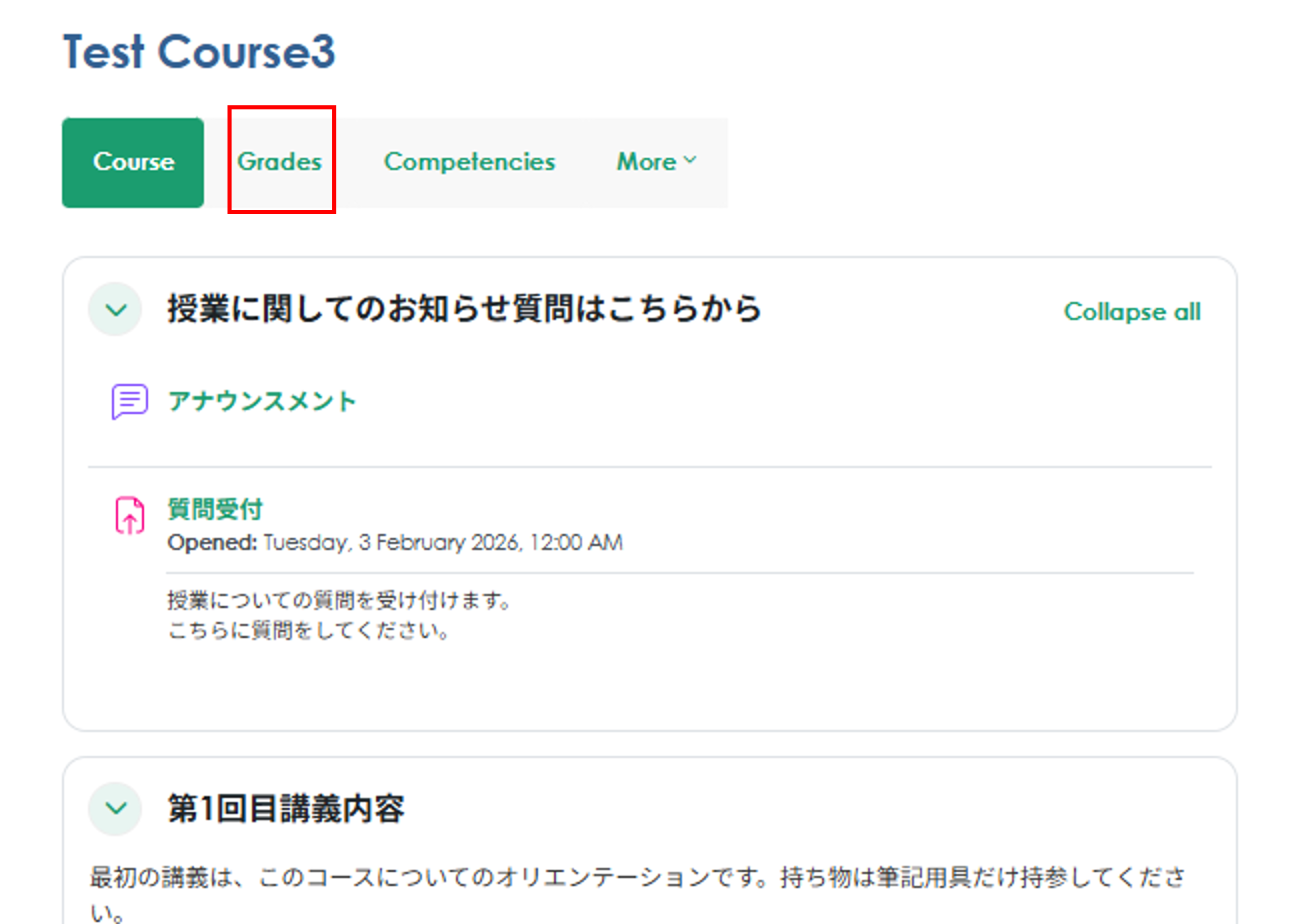
Check your course grades
Go to the course for which you want to check your grades, and click "Grades"
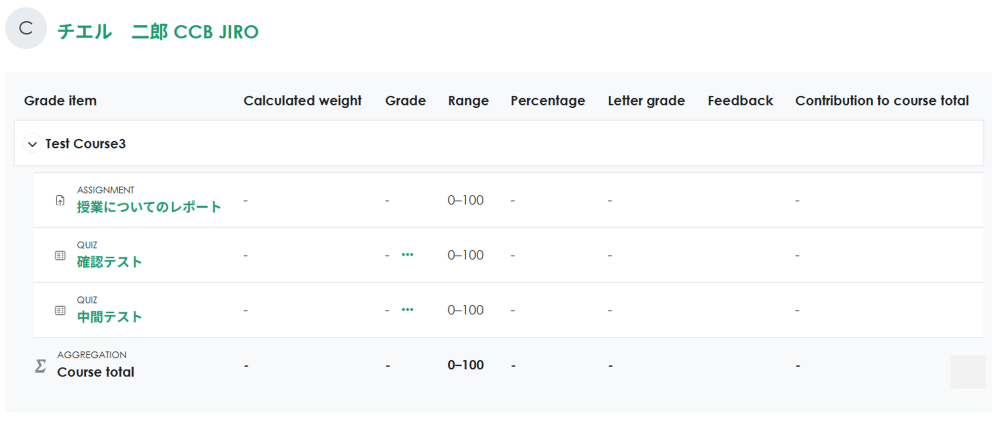
Grades are displayed for each course activity. The overall course grade is shown at the bottom of the page.
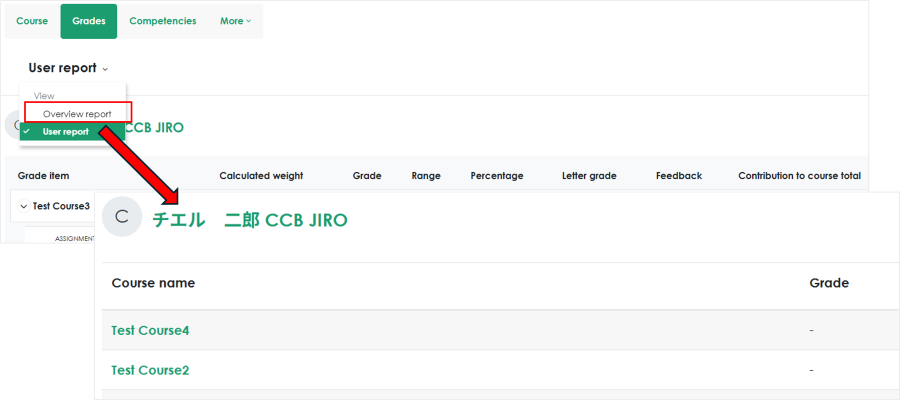
View grades for all courses
Click "Grades" from your profile icon, or click "Overview report" under "Grades" in a course to view grades for all courses.